
DevTools IDE
2022
Product Designer
Web Data Extraction
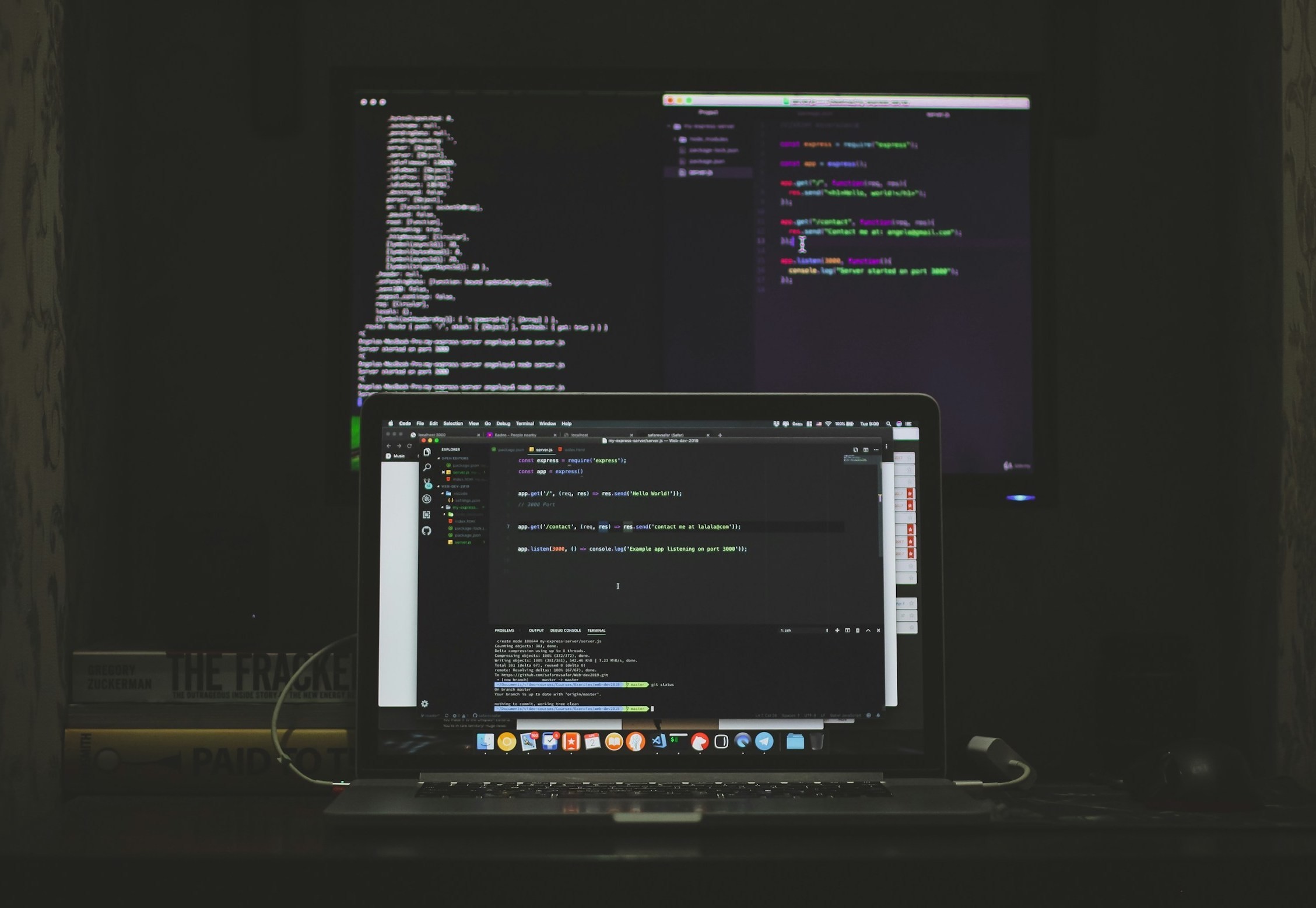
Inspired by IDEs, I designed a developer-focused app to troubleshoot webpages and solve the issues of switching between multiple browser tools. I collaborated with product leaders and developers to research, understand their problems, and brainstorm ways to improve developer workflow efficiency.
DevTools IDE
2022
Product Designer
Web Data Extraction
Inspired by IDEs, I designed a developer-focused app to troubleshoot webpages and solve the issues of switching between multiple browser tools. I collaborated with product leaders and developers to research, understand their problems, and brainstorm ways to improve developer workflow efficiency.
DevTools IDE
2022
Product Designer
Web Data Extraction
Inspired by IDEs, I designed a developer-focused app to troubleshoot webpages and solve the issues of switching between multiple browser tools. I collaborated with product leaders and developers to research, understand their problems, and brainstorm ways to improve developer workflow efficiency.
Rethinking Developer Workflows
A Unified DevTools Experience
Developers often rely on multiple tools to inspect, debug, and troubleshoot webpages, which creates unnecessary context switching. This project explores how those workflows can be unified into a single, IDE-like experience that prioritizes speed, clarity, and usability.
Rethinking Developer Workflows
A Unified DevTools Experience
Developers often rely on multiple tools to inspect, debug, and troubleshoot webpages, which creates unnecessary context switching. This project explores how those workflows can be unified into a single, IDE-like experience that prioritizes speed, clarity, and usability.
Rethinking Developer Workflows
A Unified DevTools Experience
Developers often rely on multiple tools to inspect, debug, and troubleshoot webpages, which creates unnecessary context switching. This project explores how those workflows can be unified into a single, IDE-like experience that prioritizes speed, clarity, and usability.
Designed to reduce context switching and streamline debugging workflows within a single interface.
Designed to reduce context switching and streamline debugging workflows within a single interface.
Challenge
As a developer, it can be challenging to troubleshoot and debug web pages to extract public data. To achieve this, many developers rely on libraries such as Puppeteer and Playwright to run headless browsers. However, this process often requires the use of multiple applications and tools across various application windows. To address these pain points, I was assigned to create a user-friendly developer tool UI that consolidates all necessary tools into one application. The goal was to reduce the need for developers to jump between tools while still supporting complex debugging tasks. The experience needed to feel familiar, while offering a more structured and efficient workflow.
Challenge
As a developer, it can be challenging to troubleshoot and debug web pages to extract public data. To achieve this, many developers rely on libraries such as Puppeteer and Playwright to run headless browsers. However, this process often requires the use of multiple applications and tools across various application windows. To address these pain points, I was assigned to create a user-friendly developer tool UI that consolidates all necessary tools into one application. The goal was to reduce the need for developers to jump between tools while still supporting complex debugging tasks. The experience needed to feel familiar, while offering a more structured and efficient workflow.
Challenge
As a developer, it can be challenging to troubleshoot and debug web pages to extract public data. To achieve this, many developers rely on libraries such as Puppeteer and Playwright to run headless browsers. However, this process often requires the use of multiple applications and tools across various application windows. To address these pain points, I was assigned to create a user-friendly developer tool UI that consolidates all necessary tools into one application. The goal was to reduce the need for developers to jump between tools while still supporting complex debugging tasks. The experience needed to feel familiar, while offering a more structured and efficient workflow.
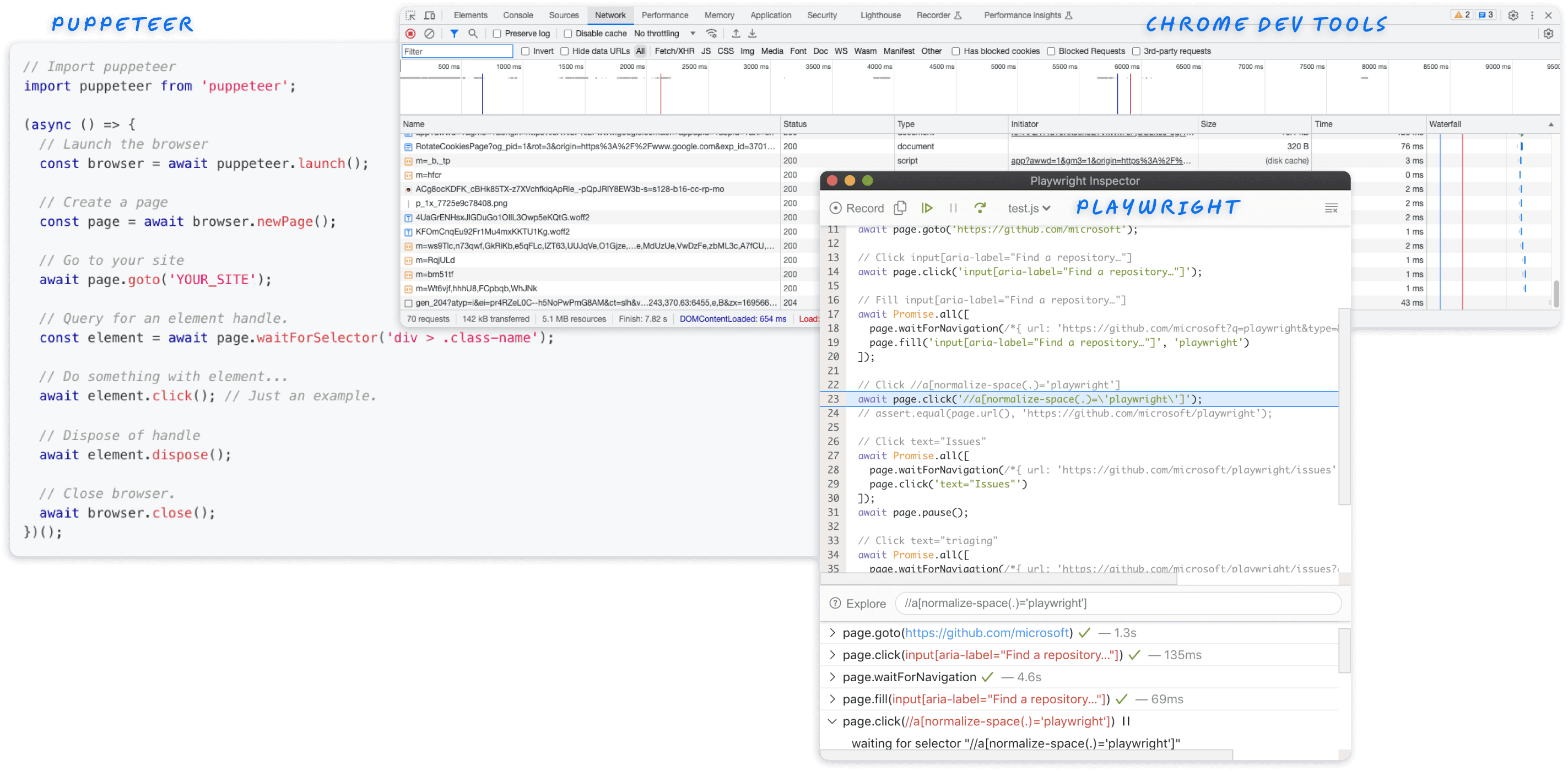
Developer workflow involves heavy context switching between developer tools.
Developer workflow involves heavy context switching between developer tools.
User Research
The 5W1H method
– Why are we building this product? – Who are we building this for? – When and where do these problems occur? – What are we building? List ideas. – How could we measure it?
Affinity Mapping
Analyzing interview data using thematic analysis helped me identify patterns in users' behaviour, thoughts, and emotions. This clarified assumptions and led to necessary feature identification.
User Research
The 5W1H method
– Why are we building this product? – Who are we building this for? – When and where do these problems occur? – What are we building? List ideas. – How could we measure it?
Affinity Mapping
Analyzing interview data using thematic analysis helped me identify patterns in users' behaviour, thoughts, and emotions. This clarified assumptions and led to necessary feature identification.
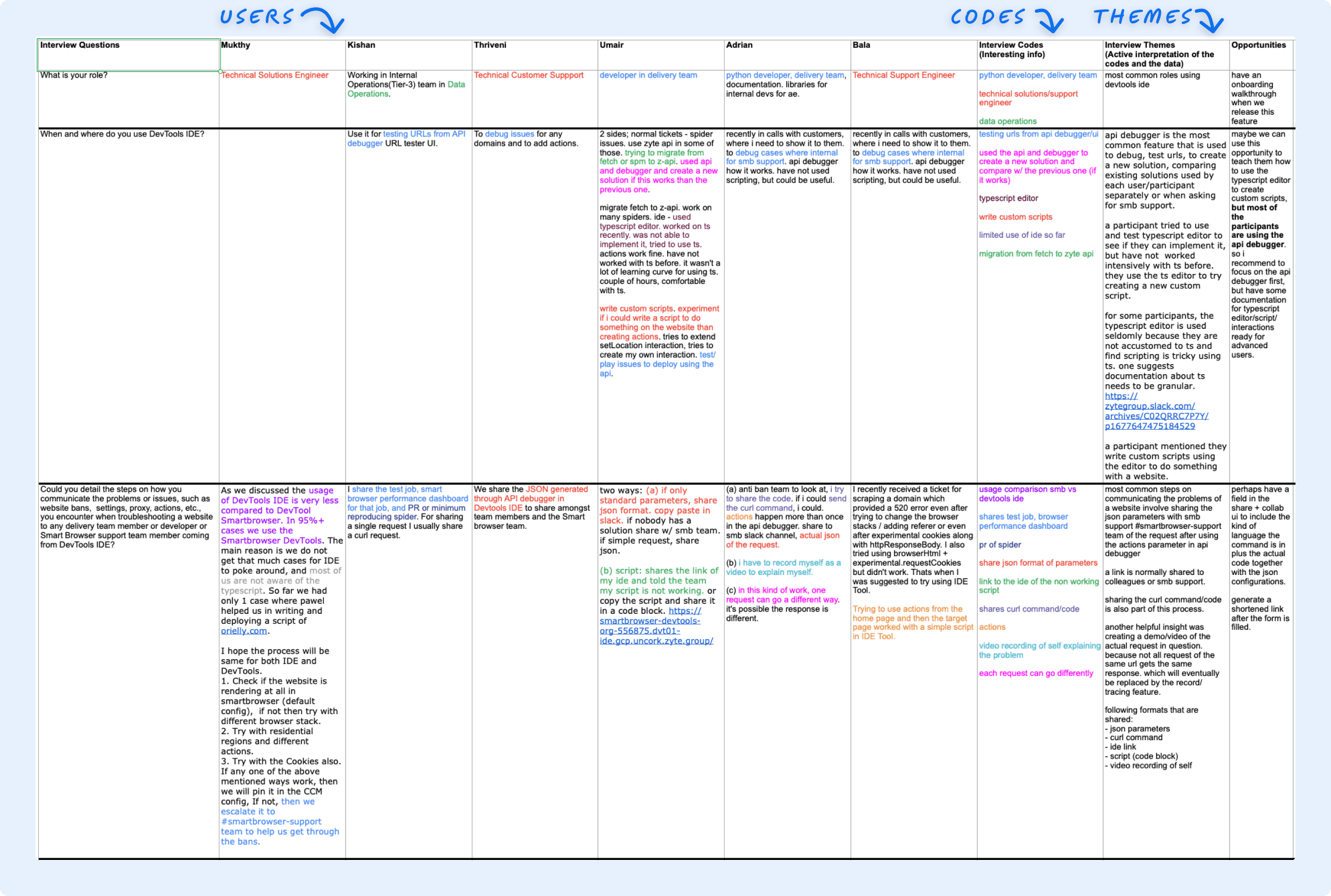
A snippet of the raw interview data.
A snippet of the raw interview data.
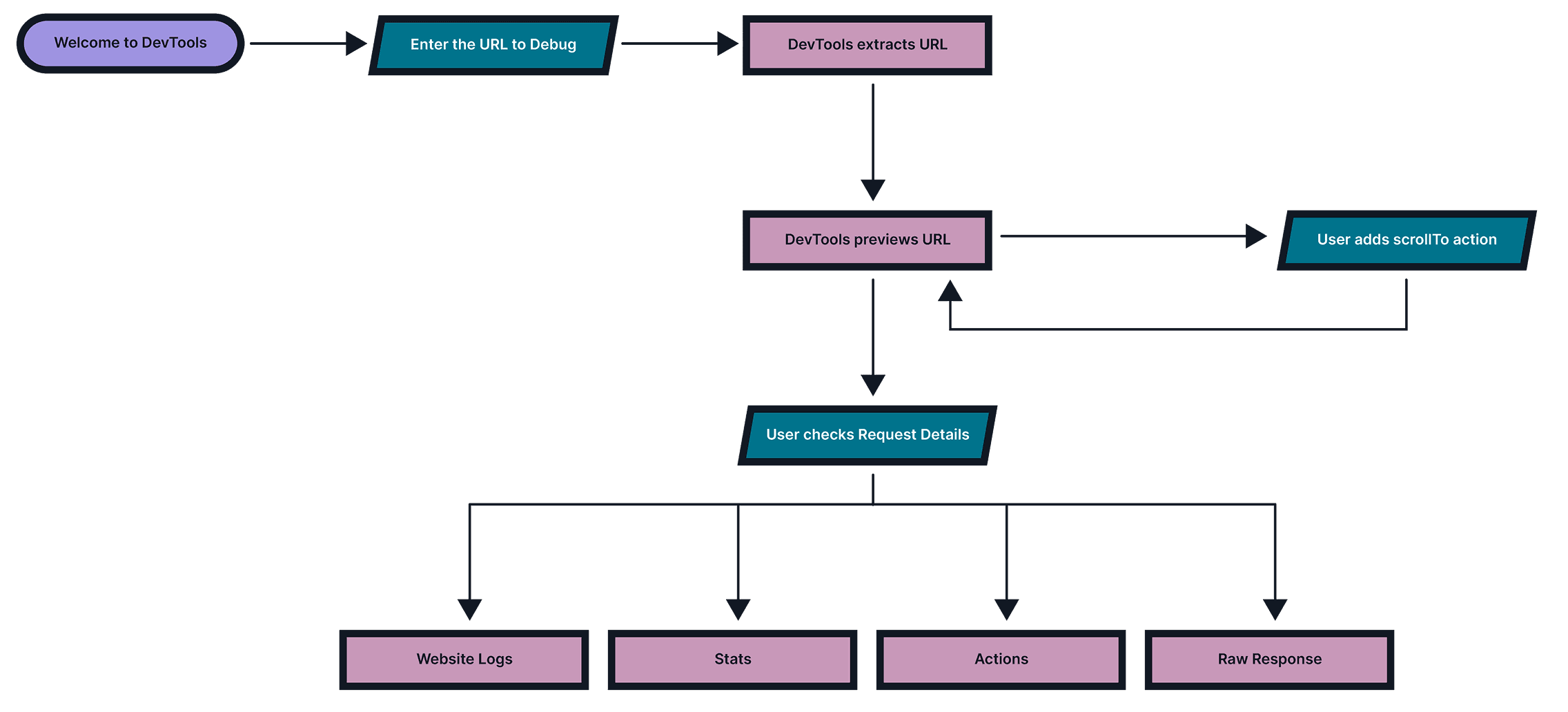
This simplified flow diagram that resulted from the interview data suggests the users' needs.
Design Solutions
Solution Sketch
Sketching is crucial to ideation and testing ideas quickly. It helps map out user journeys and determine necessary product features. Even simple sketches can quickly validate and inform UI designs.
Designing Around Developer Workflows
The interface is organized to reflect how developers naturally inspect, test, and debug. Tools are structured into clear panels and flows to reduce friction and improve task continuity.
Design Solutions
Solution Sketch
Sketching is crucial to ideation and testing ideas quickly. It helps map out user journeys and determine necessary product features. Even simple sketches can quickly validate and inform UI designs.
Designing Around Developer Workflows
The interface is organized to reflect how developers naturally inspect, test, and debug. Tools are structured into clear panels and flows to reduce friction and improve task continuity.
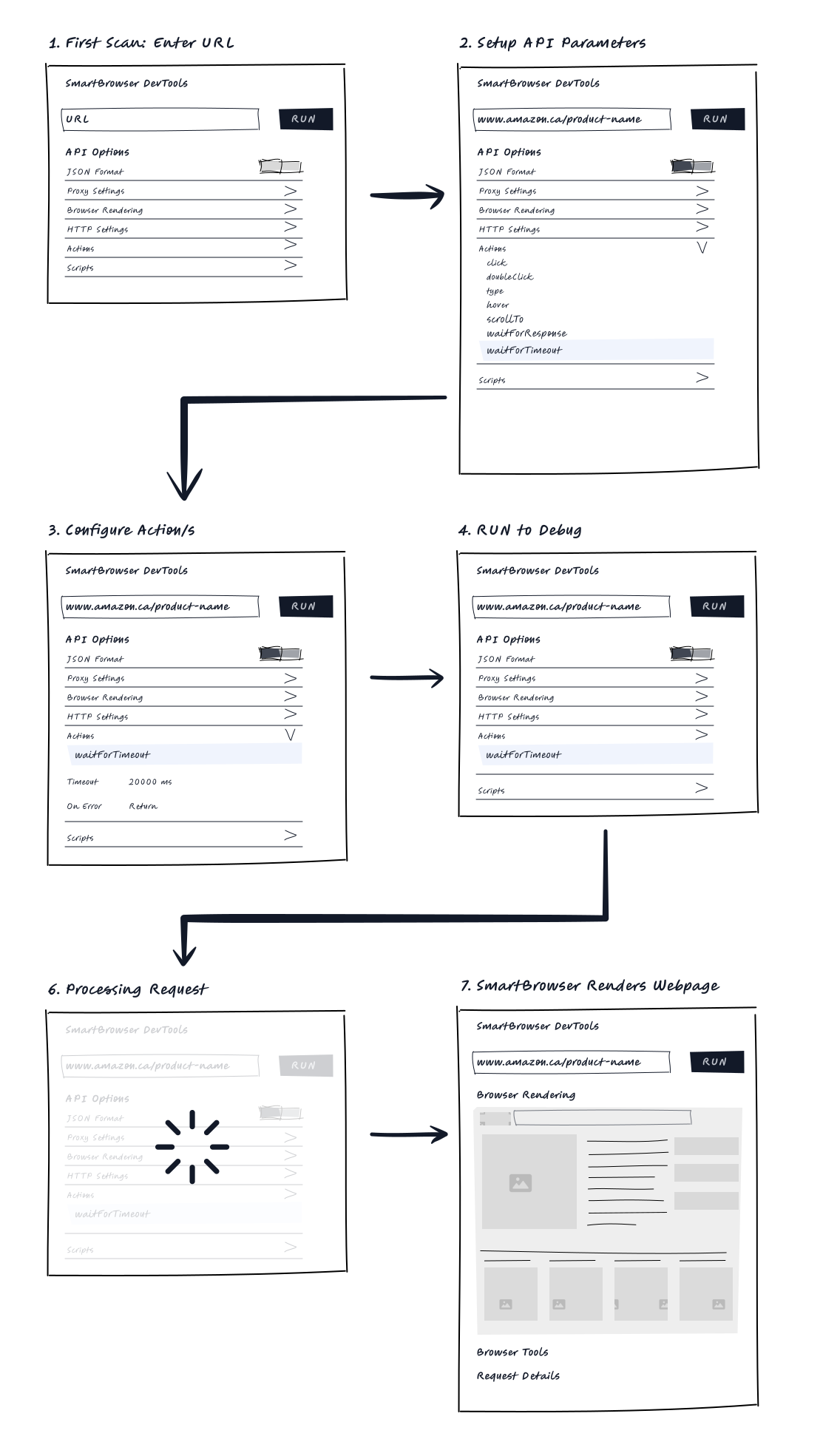
I used a storyboarding technique to understand the customer's journey better and identify the necessary interactions for the product.
I used a storyboarding technique to understand the customer's journey better and identify the necessary interactions for the product.
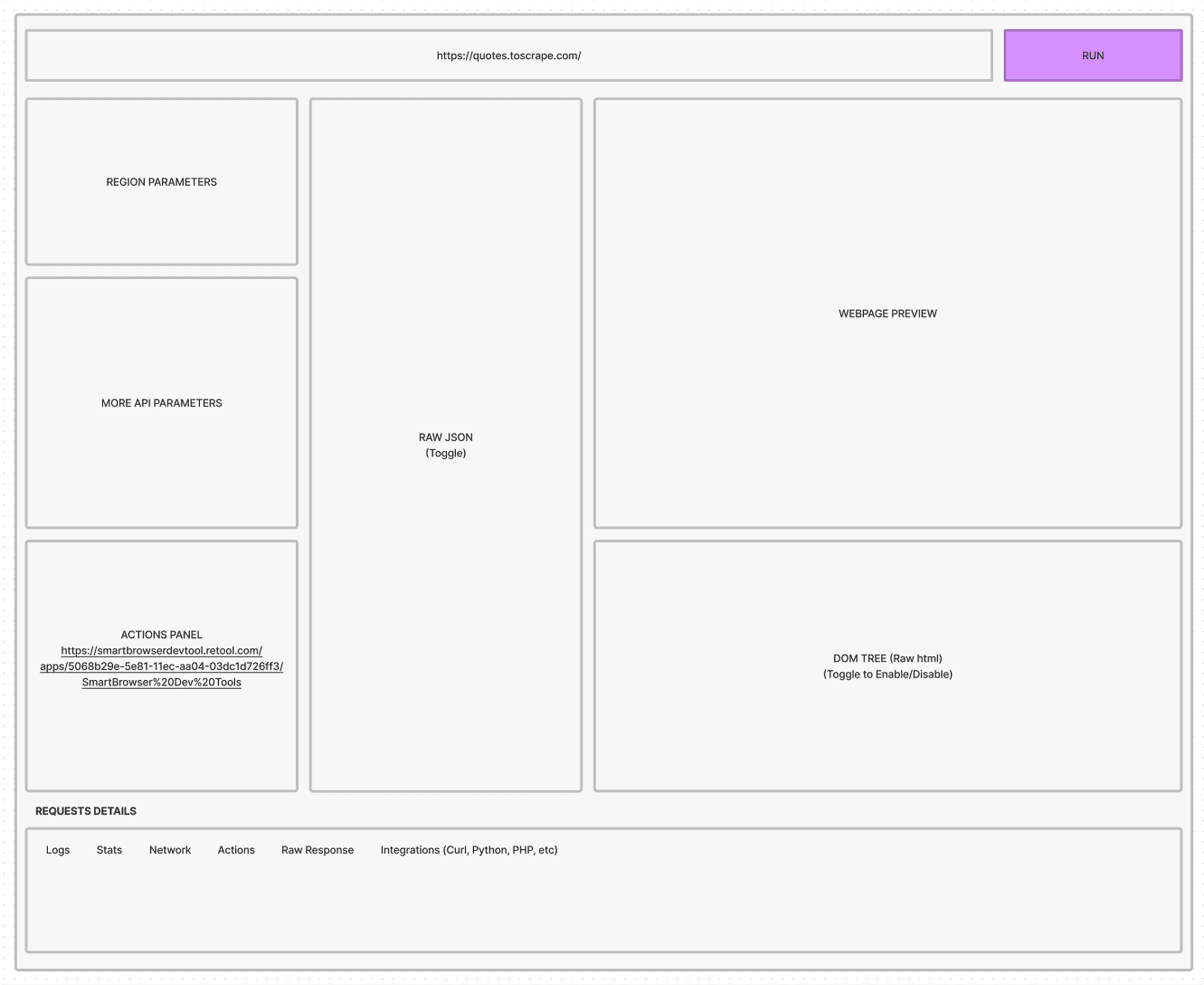
Using the mental model anticipated from IDE users, I laid out the wireframe that would strongly impact their workflow and meet the users' expectations.
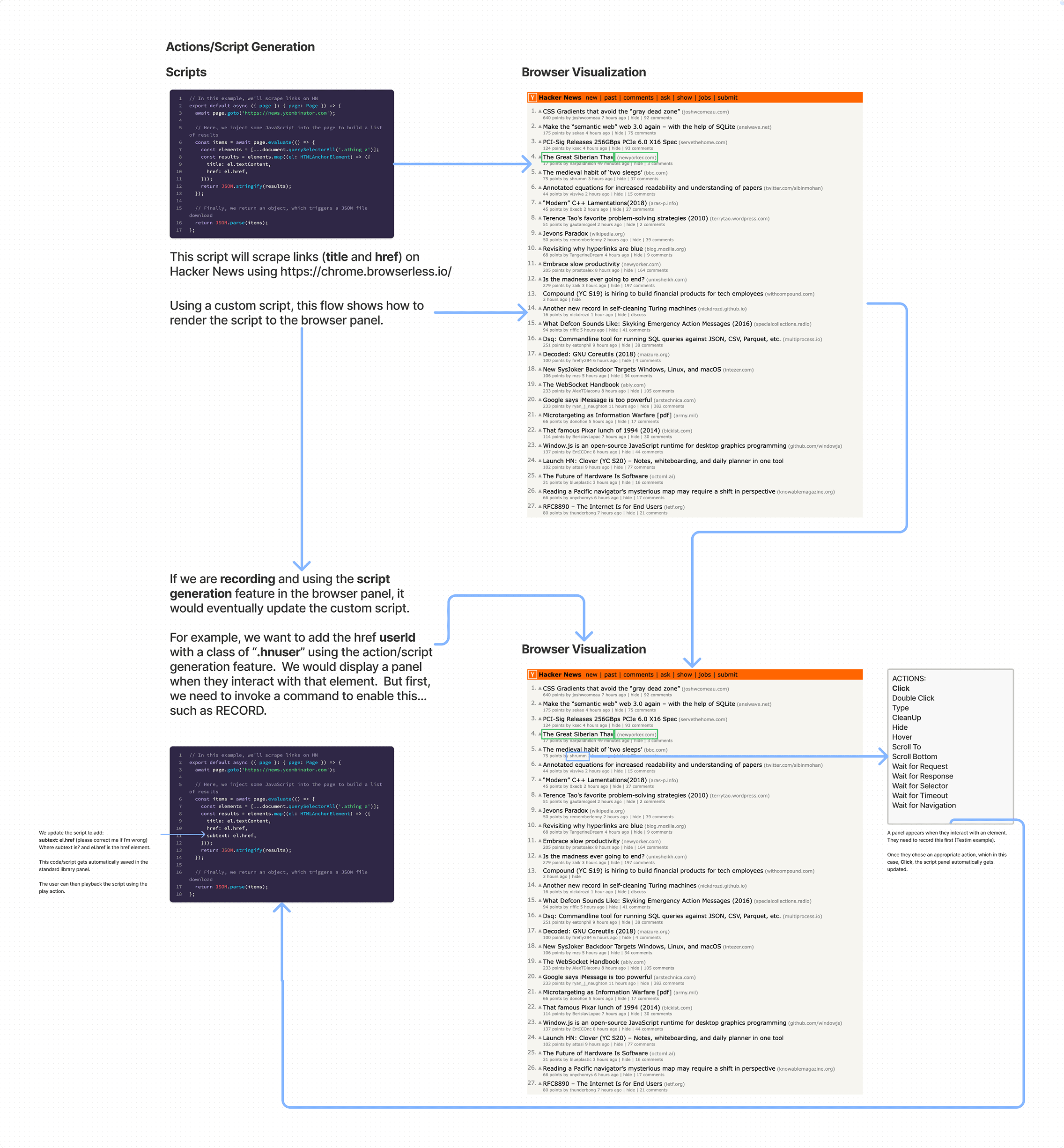
Validating a user task flow using actions when interacting with a webpage to debug.
Visual and UI Design
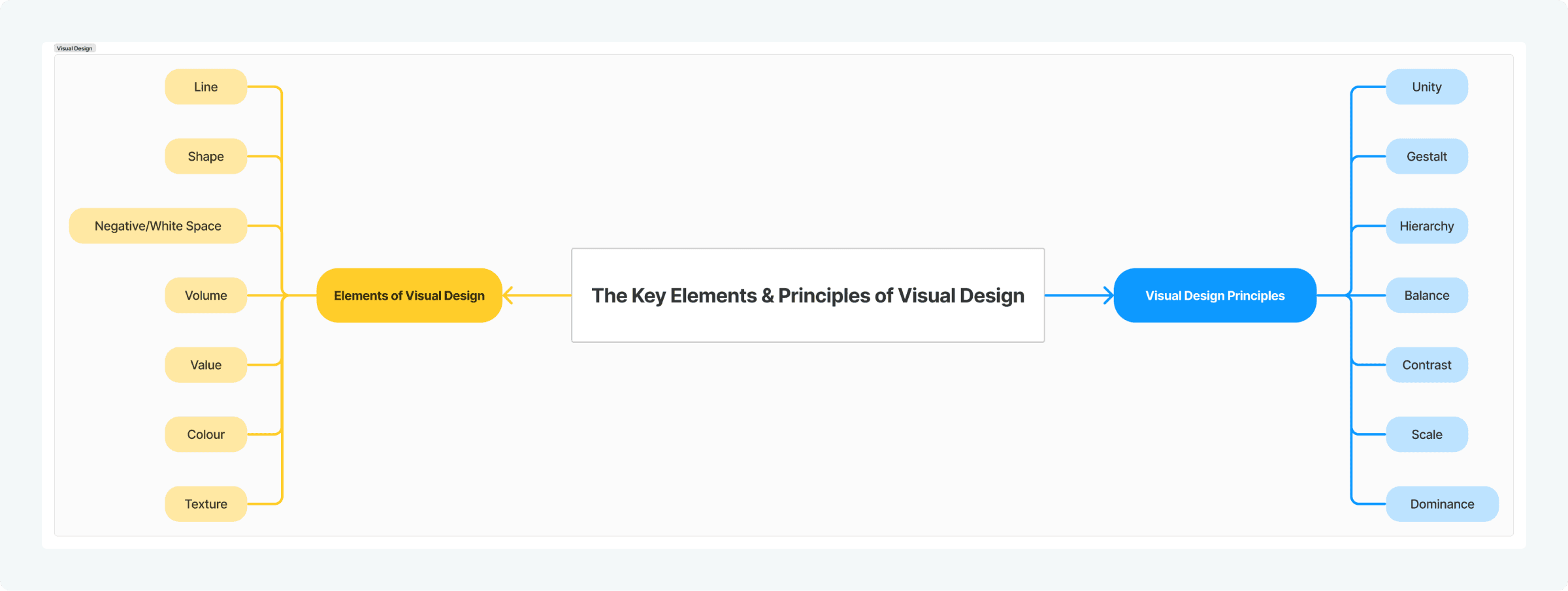
Working with the fundamental elements of visual design and arranging them according to design principles, they form the building blocks of design. Learning to achieve consistency in design is important in achieving a desirable product. I bridge the gap between how a product looks and how it works. By blending the atmospheric storytelling of Visual Design with the intuitive interactivity of UI Design, I create digital experiences that are as effortless to navigate as they are beautiful to behold.
Visual and UI Design
Working with the fundamental elements of visual design and arranging them according to design principles, they form the building blocks of design. Learning to achieve consistency in design is important in achieving a desirable product. I bridge the gap between how a product looks and how it works. By blending the atmospheric storytelling of Visual Design with the intuitive interactivity of UI Design, I create digital experiences that are as effortless to navigate as they are beautiful to behold.
SELECTED SCREENS
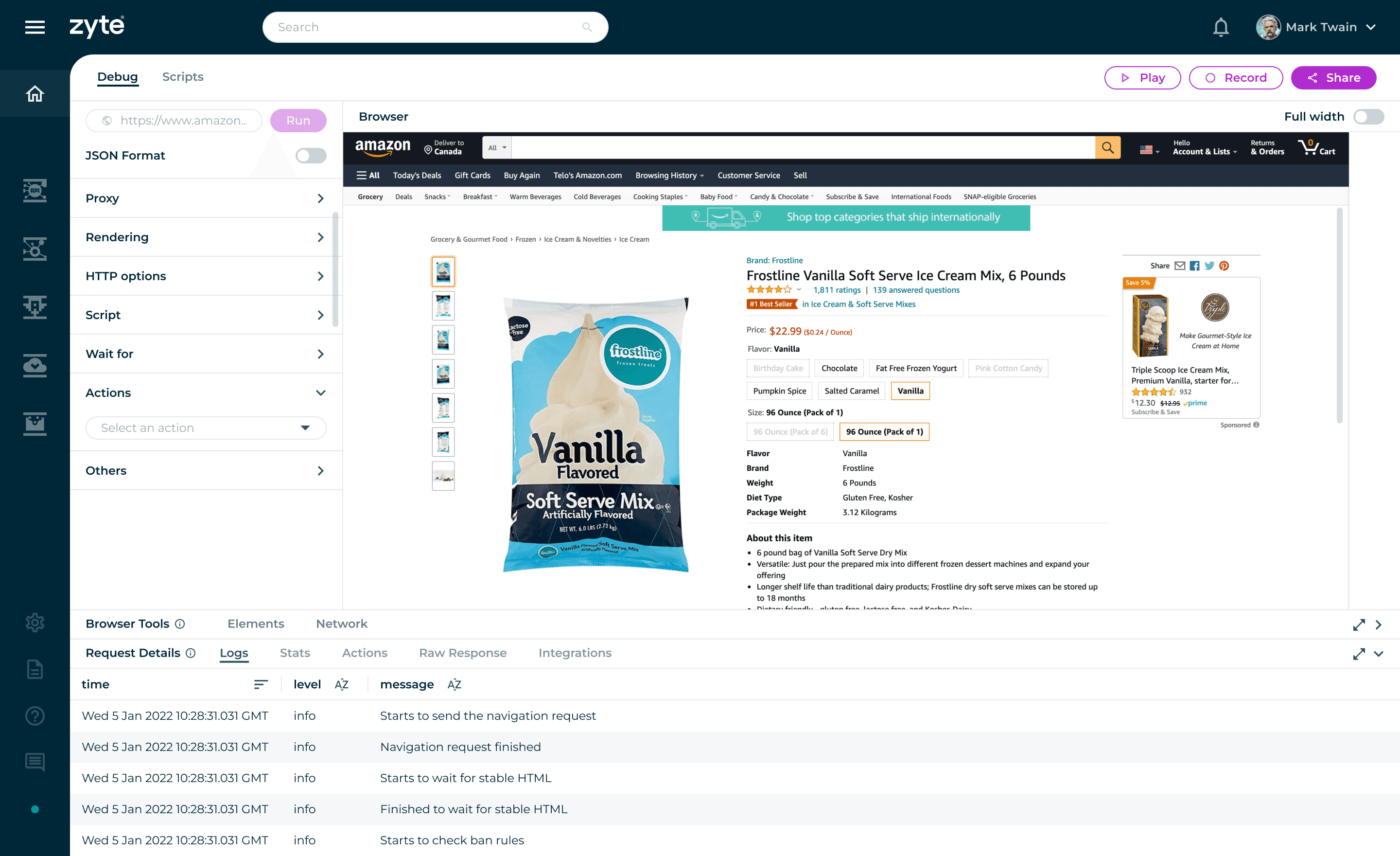
Unified workspace bringing key debugging tools into one view. MVP release of Dev Tools. Features include API parameters to debug and test webpages. Elements return the raw HTML of the webpage, much like Chrome Dev Tools does. The Logs access behind the scenes of the application logs.
Unified workspace bringing key debugging tools into one view. MVP release of Dev Tools. Features include API parameters to debug and test webpages. Elements return the raw HTML of the webpage, much like Chrome Dev Tools does. The Logs access behind the scenes of the application logs.
Unified workspace bringing key debugging tools into one view. MVP release of Dev Tools. Features include API parameters to debug and test webpages. Elements return the raw HTML of the webpage, much like Chrome Dev Tools does. The Logs access behind the scenes of the application logs.
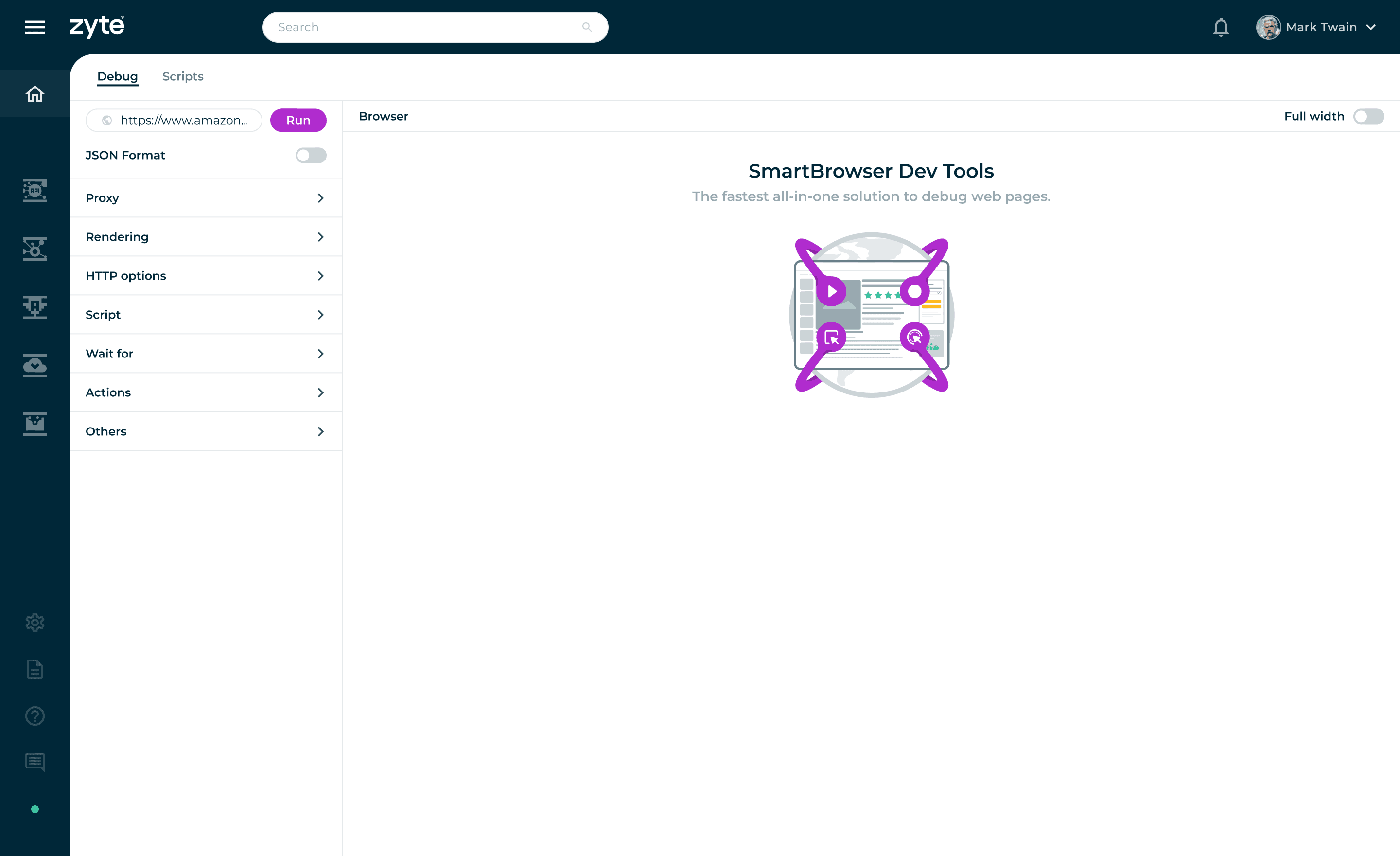
Run a URL to debug.
Run a URL to debug.
Run a URL to debug.
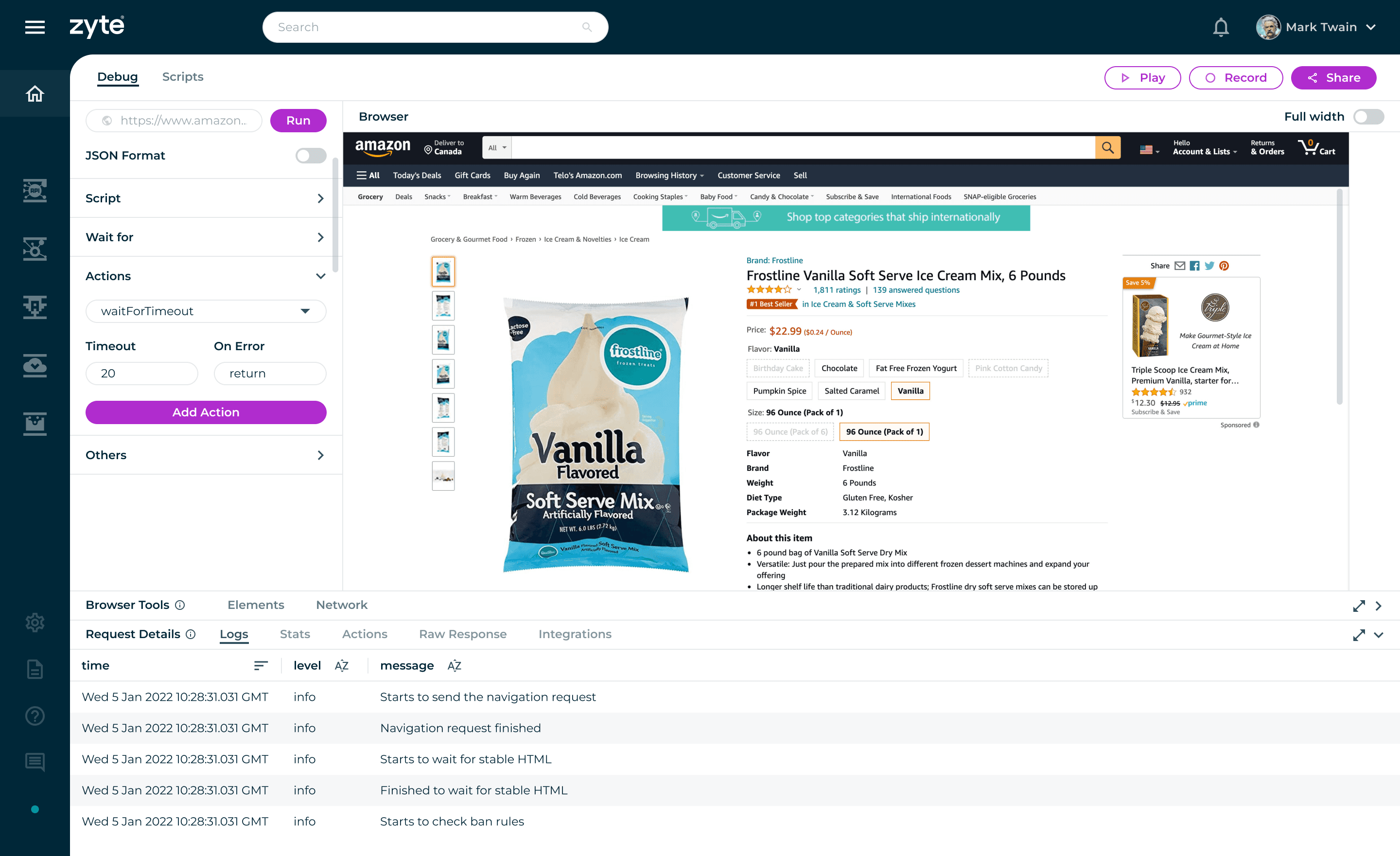
Inspect and edit DOM structure with real-time feedback. The Actions parameter simulates the human to browser behaviour and serves as a debugging tool for common rendering issues by increasing the waitForTimeout property.
Inspect and edit DOM structure with real-time feedback. The Actions parameter simulates the human to browser behaviour and serves as a debugging tool for common rendering issues by increasing the waitForTimeout property.
Inspect and edit DOM structure with real-time feedback. The Actions parameter simulates the human to browser behaviour and serves as a debugging tool for common rendering issues by increasing the waitForTimeout property.
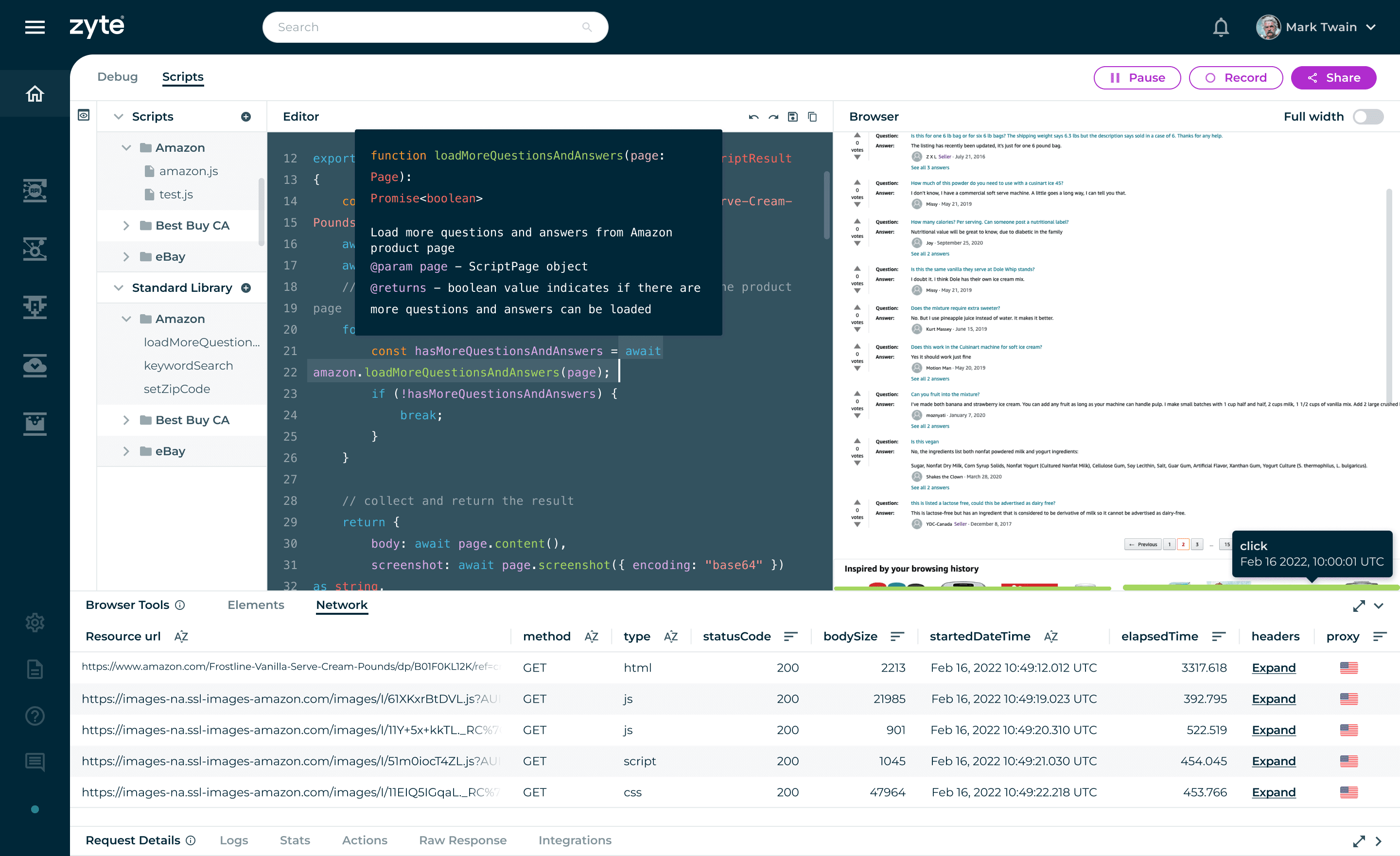
Test and debug code without leaving the interface. The Scripts panel is an advanced developer-centric feature that automates the browser for advanced use cases such as custom scripts and a standard library feature to load pre-built functions.
Test and debug code without leaving the interface. The Scripts panel is an advanced developer-centric feature that automates the browser for advanced use cases such as custom scripts and a standard library feature to load pre-built functions.
Test and debug code without leaving the interface. The Scripts panel is an advanced developer-centric feature that automates the browser for advanced use cases such as custom scripts and a standard library feature to load pre-built functions.
FIGMA PROTOTYPE
Conclusion
After going through rounds of iteration, feedback loop, and usability testing, we further improved the product's user experience and added more features such as Sharing/Collaboration and History.
Conclusion
After going through rounds of iteration, feedback loop, and usability testing, we further improved the product's user experience and added more features such as Sharing/Collaboration and History.
Key Learnings
Designing for Technical Users
This project strengthened my ability to design for technical users by aligning interface decisions with real workflows. It also reinforced how complex tools can be simplified into structured, intuitive layouts without losing flexibility.
Key Learnings
Designing for Technical Users
This project strengthened my ability to design for technical users by aligning interface decisions with real workflows. It also reinforced how complex tools can be simplified into structured, intuitive layouts without losing flexibility.
© 2026 telo santos
© 2026 telo santos
© 2026 telo santos